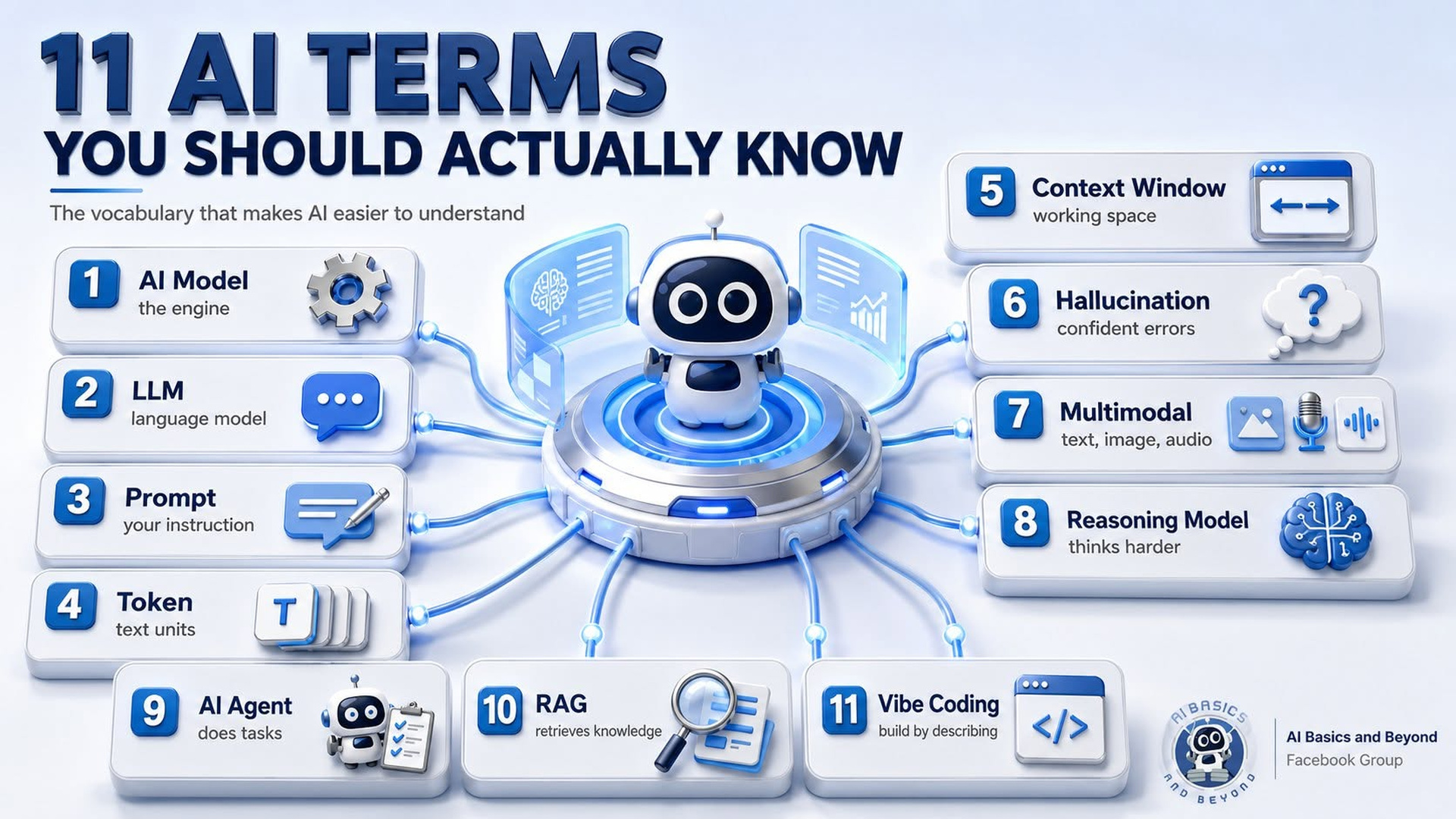
You don't need a computer science degree to use AI well. You also don't need to memorize every new acronym the tech industry invents each morning before breakfast.
Overview
But a handful of terms keep appearing in ChatGPT, Gemini, Claude, AI articles, and our group discussions. Understand these eleven and much of the conversation around AI suddenly makes more sense.
1. AI Model
The model is essentially the intelligence engine behind an AI service. ChatGPT is the product you interact with; GPT is the model family doing much of the work. Different models can vary in speed, reasoning ability, tool use, and the types of information they can process.
2. LLM — Large Language Model
An LLM is an AI model trained to work with language. It learns patterns from enormous amounts of text and uses those patterns to generate responses. It does not simply search a giant database for a prewritten answer. It generates the response as it goes.
3. Prompt
A prompt is simply what you give the AI: a question, instruction, description, or combination of all three. Good prompting is less about secret formulas and more about clearly explaining what you want, providing useful context, and defining the desired result.
4. Token
AI models process information in units called tokens, which may be words, parts of words, punctuation, or other pieces of text.
You normally don't need to count them, but tokens matter because they affect how much information an AI can process and, in some paid AI services, the cost.
5. Context Window
The context window is the amount of information a model can consider while creating a response.
Think of it as the AI's working desk. A larger desk can hold more documents and conversation history at once. But don't confuse context with permanent memory. They are not the same thing.
6. Hallucination
A hallucination occurs when AI produces incorrect or unsupported information as though it were true. The dangerous part is that a wrong answer can sound polished and completely confident.
This is why I repeatedly say: confidence is not evidence. Important medical, financial, legal, and factual claims should be verified.
7. Multimodal
A multimodal AI can work with more than one type of information. Depending on the model and product, this may include text, images, audio, or video. Current AI systems increasingly combine these capabilities rather than limiting interaction to typed text.
Upload a photo and ask AI to examine it—that's multimodal AI in action.
8. Reasoning Model
A reasoning model is designed to spend more computational effort working through complex problems before producing an answer. OpenAI, for example, distinguishes reasoning models from other GPT model approaches in its developer guidance.
Reasoning models can be useful for planning, analysis, mathematics, and complex decisions. That still doesn't make them automatically correct.
9. AI Agent
An AI agent goes beyond simply answering a question. It may use tools and perform multiple steps toward a goal. Modern agent systems can combine models with capabilities such as web search, file retrieval, and other tools.
The easiest distinction is this: a chatbot answers; an agent is increasingly designed to do.
10. RAG — Retrieval-Augmented Generation
Yes, this one sounds painfully technical. The idea is actually simple.
RAG allows an AI system to retrieve relevant information from a collection of documents or other indexed information and provide that material to the model when creating an answer.
This is important for AI tools built around manuals, company documents, research, or specialized knowledge bases.
(See my RV Adviser GPT as a working example. This GPT prioritizes the retrieval of data from its own curated knowledge base.)
11. Vibe Coding
Vibe coding is a casual term for creating software by describing what you want to an AI and letting it generate much of the code. Instead of manually writing every line, you explain the idea, test the result, and tell the AI what to change.
This is making basic app and website development accessible to people with little or no traditional programming experience.
You Don't Need to Speak AI
Knowing the terminology won't magically make you an AI expert, and frankly, some people use technical language mainly to make simple ideas sound complicated.
The goal is practical understanding.
Learn these eleven terms and you'll better understand what your AI is doing, why different models behave differently, and what people are actually talking about when the next “revolutionary AI breakthrough” arrives on Tuesday morning.